

Google Find My Device
Google Find My Device App Info
-
App Name
Google Find My Device
-
Package Name
com.google.android.apps.adm
-
Developer
Google LLC -
Category
Tools -
Updated
2026/03/03
-
Version
3.1.547-1
Usage of the Google Find My Device App
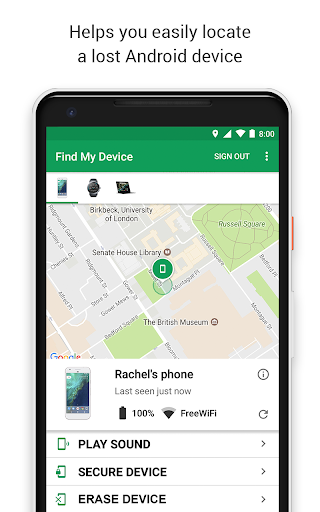
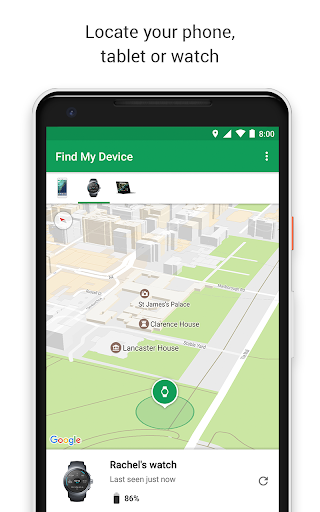
📱 The Google Find My Device app is an essential tool for anyone who frequently misplaces their gadgets. You can easily view your phone, tablet, headphones, and other accessories on a map, even if they're offline.
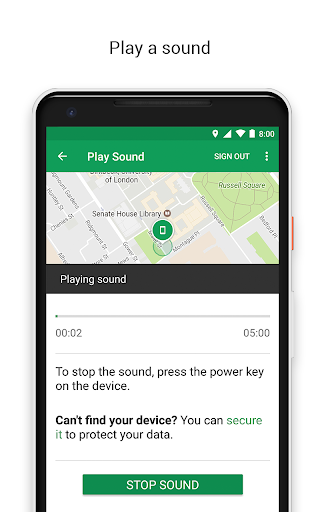
🔍 If you've lost your device nearby, the app lets you play a sound to help locate it. This feature is particularly useful in crowded spaces or at home.
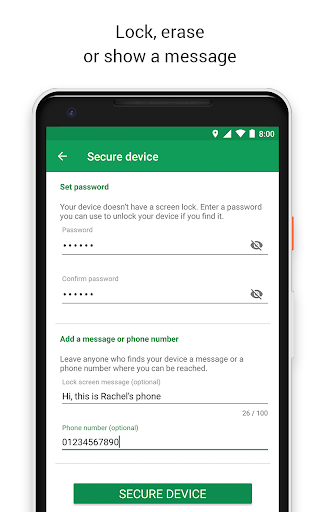
🛡️ In the unfortunate event you can't find your device, the Google Find My Device app allows you to remotely secure or erase it. You can also add a custom message to display on the lock screen for good Samaritans.
🔒 Important to note, all location data within the Find Hub network is encrypted. Even Google cannot see this location data, providing peace of mind for users.
📍 Additionally, the app can be used to share your live location. This feature is perfect for coordinating meetups with friends or ensuring family members arrive home safely.
Advantages of the Google Find My Device App
1. 🔑 High Level of Security: The app ensures that all location data is encrypted, providing a secure way to locate your devices.
2. 🎵 Easy to Use: Playing a sound to locate your device is straightforward, making the app user-friendly for all ages.
3. 🌍 Live Location Sharing: Share your location with friends or family members, enhancing coordination during meetups.
Disadvantages of the Google Find My Device App
1. 📶 Limited Offline Functionality: While you can view devices on a map even if offline, other features require an internet connection.
2. 🔒 Remote Erase Limitations: Users must be cautious when erasing their devices remotely, as retrieving lost data can be impossible once erased.
3. 📲 Device Range Issue: If the lost device is out of battery or not connected to the internet, finding it can be very challenging.
FAQs About the Google Find My Device App
1. ❓ How can I download the Google Find My Device app? You can get the free Google Find My Device app download from the Google Play Store.
2. ❓ Do I need an account to install Google Find My Device? Yes, you will need to log in to Google Find My Device with your Google account.
3. ❓ What devices are compatible with Google Find My Device? The app works with Android devices, tablets, and select accessories like headphones.
Analysis from the Editor's Perspective
🖊️ Overall, the Google Find My Device app is a valuable tool that emphasizes security and ease of use. It’s great to have a reliable option for device location.
📈 The app stands out with its encryption feature, ensuring that users have control over their location data. The integration of live location sharing is a real plus.
💡 However, potential users should weigh the limitations, such as the requirement of an internet connection for key functionalities. Knowing these aspects will help you in making an informed decision with the Google Find My Device APK download.
✨ In conclusion, installing Google Find My Device can provide peace of mind, especially for those frequently misplacing their devices. Its usefulness far outweighs the drawbacks.
Google Find My Device
Version 3.1.547-1 Updated 2026/03/03


