

Google Pay: Save and Pay

Google Pay: Save and Pay App Info
-
App Name
Google Pay: Save and Pay
-
Package Name
com.google.android.apps.nbu.paisa.user
-
Developer
Google LLC -
Category
Finance -
Updated
2026/04/17
-
Version
328.1.2..arm64-v8a.release.flutter.
Google Pay: Save and Pay App Review
Introduction:
Google Pay is a versatile mobile payment app that aims to make payments and savings more convenient and secure for its users. With its simple interface and a range of features, Google Pay offers a seamless way to manage and transfer money, earn rewards, discover offers, and gain insights into spending habits.
Pay Fast & Easy: A Hassle-Free Digital Payment Solution
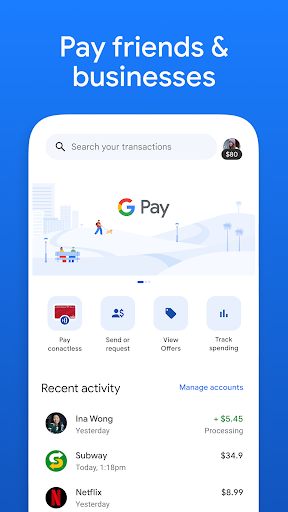
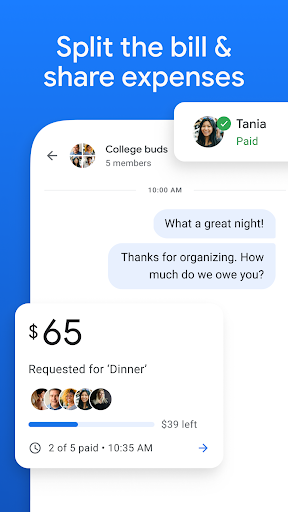
With Google Pay, sending and receiving money becomes a breeze. Users can easily transfer money to friends and family securely, either individually or as a group. This feature proves particularly useful for pooling funds for expenses like trips, dinner, bills, and rent. The app even calculates and splits the costs among participants, eliminating the need for manual calculations.
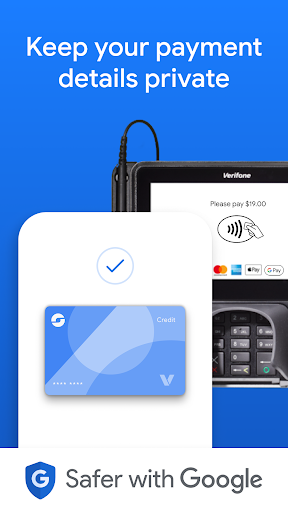
The instant and fee-free money transfers available with Google Pay balance or linked bank accounts make it a cost-effective option. Moreover, the privacy of shared payments is prioritized, as only the parties involved in the transaction have access to the transaction details. Contactless payments through the app enable users to pay securely using their smartphones at any contactless payment terminal.
Savings Made Rewarding: Cashback and Offers
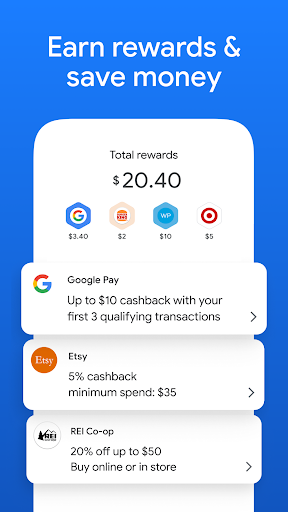
One of the major advantages of Google Pay is the cashback feature, providing users with an opportunity to earn money while making payments. Cashback rewards are offered for various transactions, including paying friends or redeeming offers from partnered stores and businesses. The cashback is instantly added to the user's Google Pay balance, making it conveniently available for future use.
Furthermore, Google Pay also allows users to maximize their rewards by linking their cashback credit card. This ensures that not only do users benefit from the cashback offered by the app, but also from the cashback rewards offered by their credit cards.
Insightful Spending Analysis: A Bird's Eye View of Finances
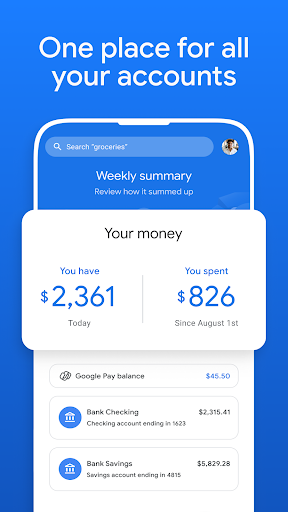
Google Pay offers a comprehensive overview of users' spending habits through its spending analysis feature. Users can easily keep track of their total balance and weekly summaries of eligible accounts, providing a clear understanding of their income and expenditure. Recent purchases and upcoming payments can also be viewed, allowing users to monitor their spending in real-time.
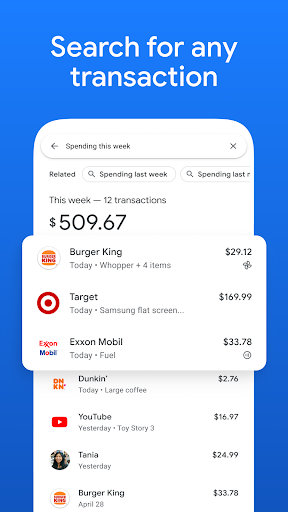
The app goes a step further by enabling users to search and access all their transactions easily. With permission, users can import receipts from Gmail and Google Photos, making it convenient to find any specific transaction whenever needed.
Security First: Authentication and Privacy
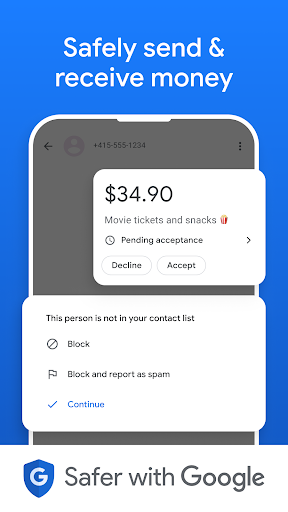
Google Pay prioritizes the security of its users' information and offers multiple layers of authentication. Each time the app is opened or a payment is made, users are required to use fingerprint, pattern, PIN, or face recognition to verify their identity. This ensures that only authorized individuals can access and utilize the app's features.
Privacy features are also integrated into Google Pay, giving users control over their personalization settings. This includes the option to receive relevant offers and recommendations from stores, which can be enabled or disabled at any time. The encryption of card details with a unique Virtual Account Number adds an additional layer of security, ensuring that payment information remains protected.
Frequently Asked Questions
1. How secure is Google Pay?
Google Pay is highly secure, with multiple layers of authentication and encryption of card details. Users can trust the app to keep their payment information safe.
2. Can I use Google Pay for online shopping?
Yes, Google Pay can be used to make quick and secure payments on websites and apps.
3. How can I track my spending with Google Pay?
You can easily view your total balance, weekly summaries, recent purchases, and upcoming payments within the app. Additionally, you can import receipts from Gmail and Google Photos for a comprehensive view of your transactions.
Analysis from the Editor's Perspective
Google Pay stands out as a user-friendly payment app that not only simplifies financial transactions but also provides added value through rewards and spending analysis. Its seamless interface, secure authentication, and encryption features make it an attractive option for users looking to manage their finances effectively. With the inclusion of cashback deals and detailed spending insights, Google Pay proves to be a valuable tool for both everyday users and savvy savers.
In conclusion, Google Pay's holistic approach to payment and savings helps users make payments faster, earn rewards, gain insights into spending habits, and ensures the security of their personal information. It is a reliable and efficient app that makes managing finances a hassle-free experience.
Google Pay: Save and Pay
Version 328.1.2..arm64-v8a.release.flutter. Updated 2026/04/17


